datasight
Ask questions about your data in plain English. datasight translates your question into SQL, runs it, and gives you a table or interactive chart — no SQL knowledge needed.
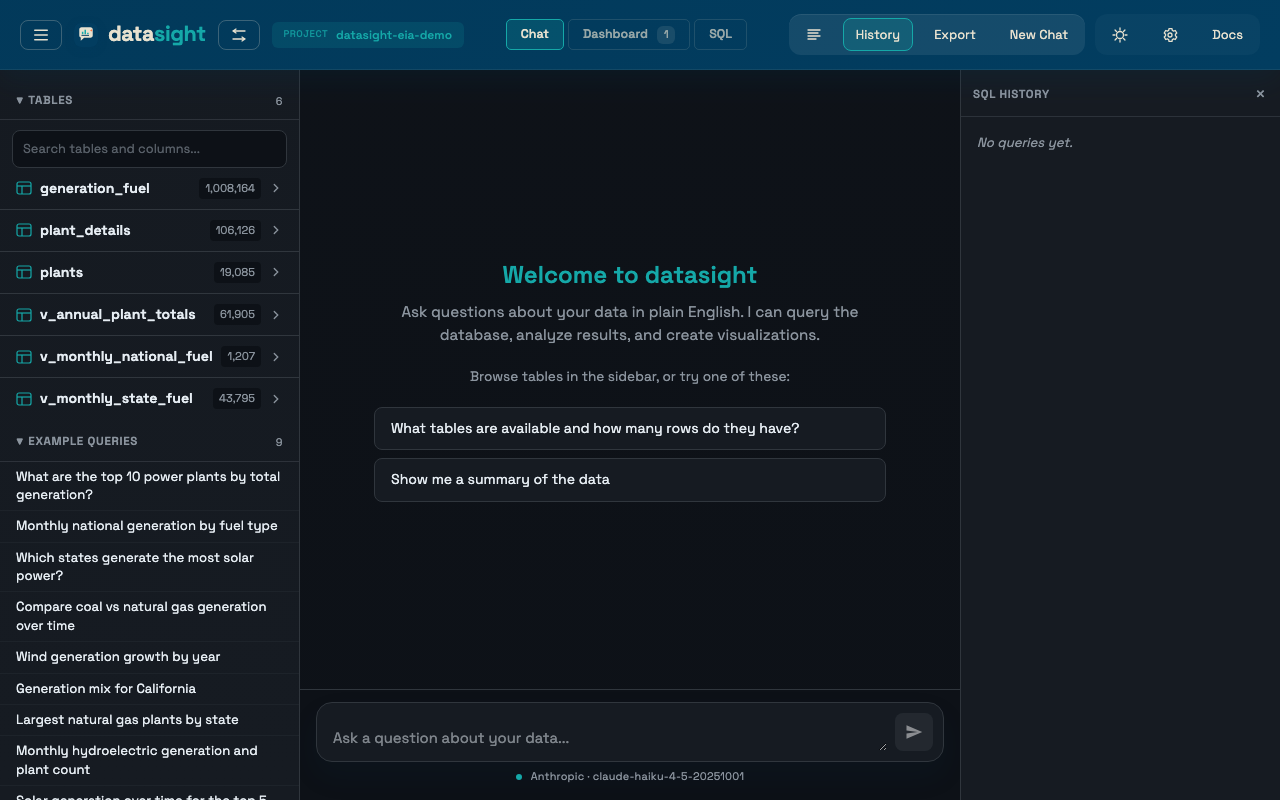 The chat view: schema sidebar on the left, the AI's answer and an interactive chart on the right.
What you need to get started
- A terminal (macOS Terminal, Linux shell, or Windows PowerShell)
- Python 3.11+, or uv (which installs Python for you)
- An API key from one AI provider — or a free GitHub account. See Choosing an AI provider if you're not sure which to pick. Not sure what an API key is? See the Glossary.
Try it in five minutes
# 1. Install datasight
uv tool install datasight
# (Don't have uv? See https://docs.astral.sh/uv/getting-started/installation/)

# 2. Download a demo dataset (US power plant data, ~50 MB)
datasight demo eia-generation ./eia-project
cd eia-project

# 3. Add your API key to .env
#    Open .env in any text editor and paste in your key, e.g.:
#    ANTHROPIC_API_KEY=sk-ant-...

# 4. Launch the web UI
datasight run
# Open http://localhost:8084 and start asking questions
Don't have an API key yet? Install datasight walks you through getting one in about two minutes (or skipping the key entirely with GitHub Models on the free tier).
The sidebar shows your tables and suggested starter questions. Type anything in the chat input — "What are the top 10 power plants by total generation?" — and datasight does the rest.
No project setup needed
You can also point datasight directly at a CSV, Parquet, Excel, or DuckDB file —
no project directory required. Run datasight run, enter a file path on the landing
page, and start asking questions immediately.
Where to go next
-
Install, configure an AI provider, ask questions in the web UI or CLI, build dashboards, audit data quality, and more.
Five-minute tutorial (EIA generation data) Choosing an AI provider What the AI sees
-
Connect your own database, write schema descriptions, define semantic measures, declare validation rules, and verify queries.
-
Architecture, internals, and contributor notes for the datasight codebase itself.